Book summaries
A React app to help make it easier to decide what to read next.
Year
2026
Status
Version 2 - WIP
Role
Solo Design & Development
Overview
Book summaries is a side project that explores how AI can make discovering what to read next much faster.
The idea came from my own reading habits. When browsing bookstores, I often find interesting books but don't always know if they are worth buying. I wanted a simple way to quickly understand what a book was about, save interesting titles, and write initial thoughts that I could come back to.
Why I Built It
At the time, I had recently completed a React course. Having the idea floating around gave me a good chance to apply what I had learned by building something practical for myself.
Inspiration came from services like Blinkist and other short-form reading platforms that I had previously used, but I wanted a simpler version focused on my own goals.
How It Works
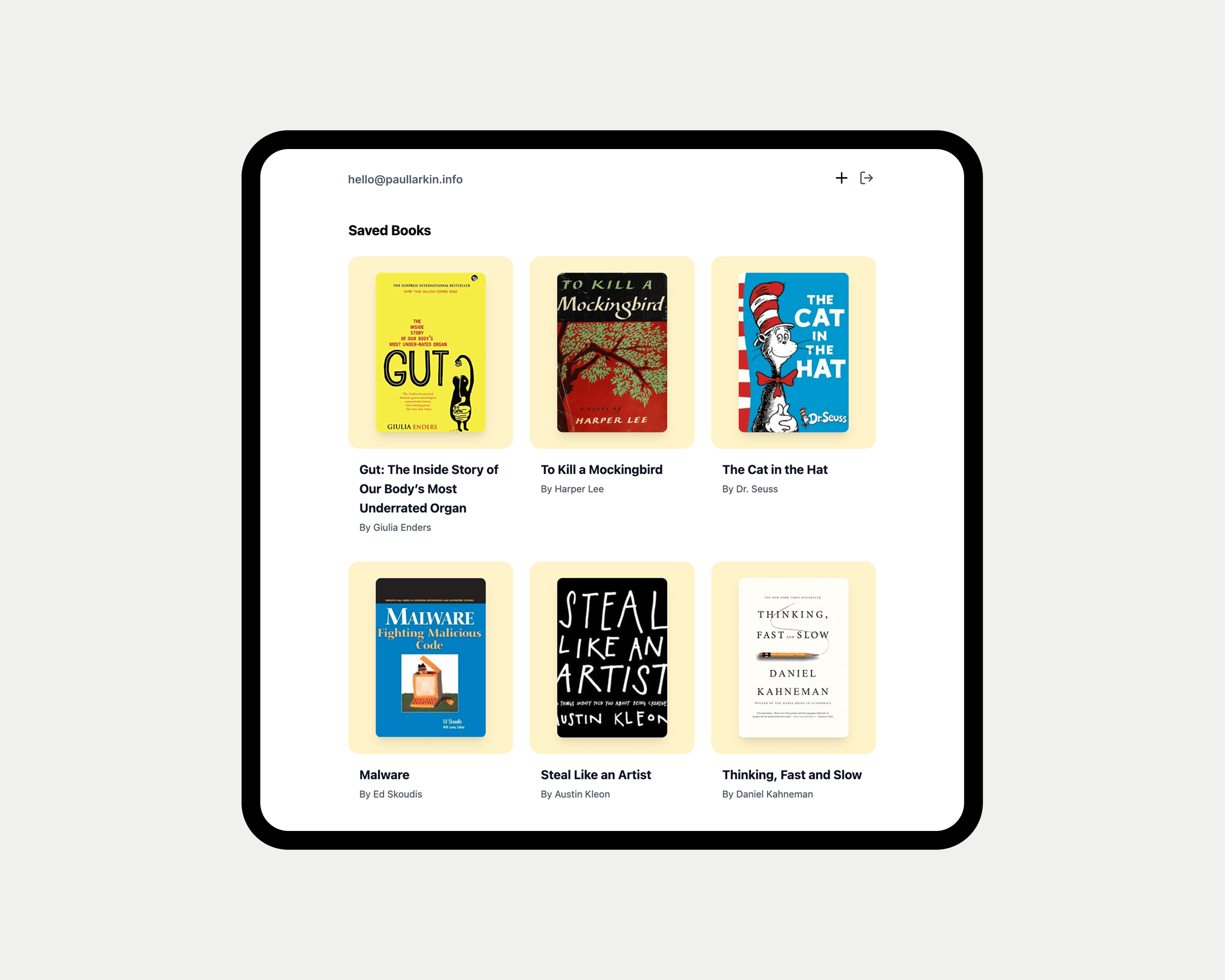
In practice, it is a minimalist frontend that puts the focus on the books.
This is done with a grid layout, a Supabase backend (which will be replaced), and an API server that sends requests to OpenAI's Chat Completions API and returns structured JSON.
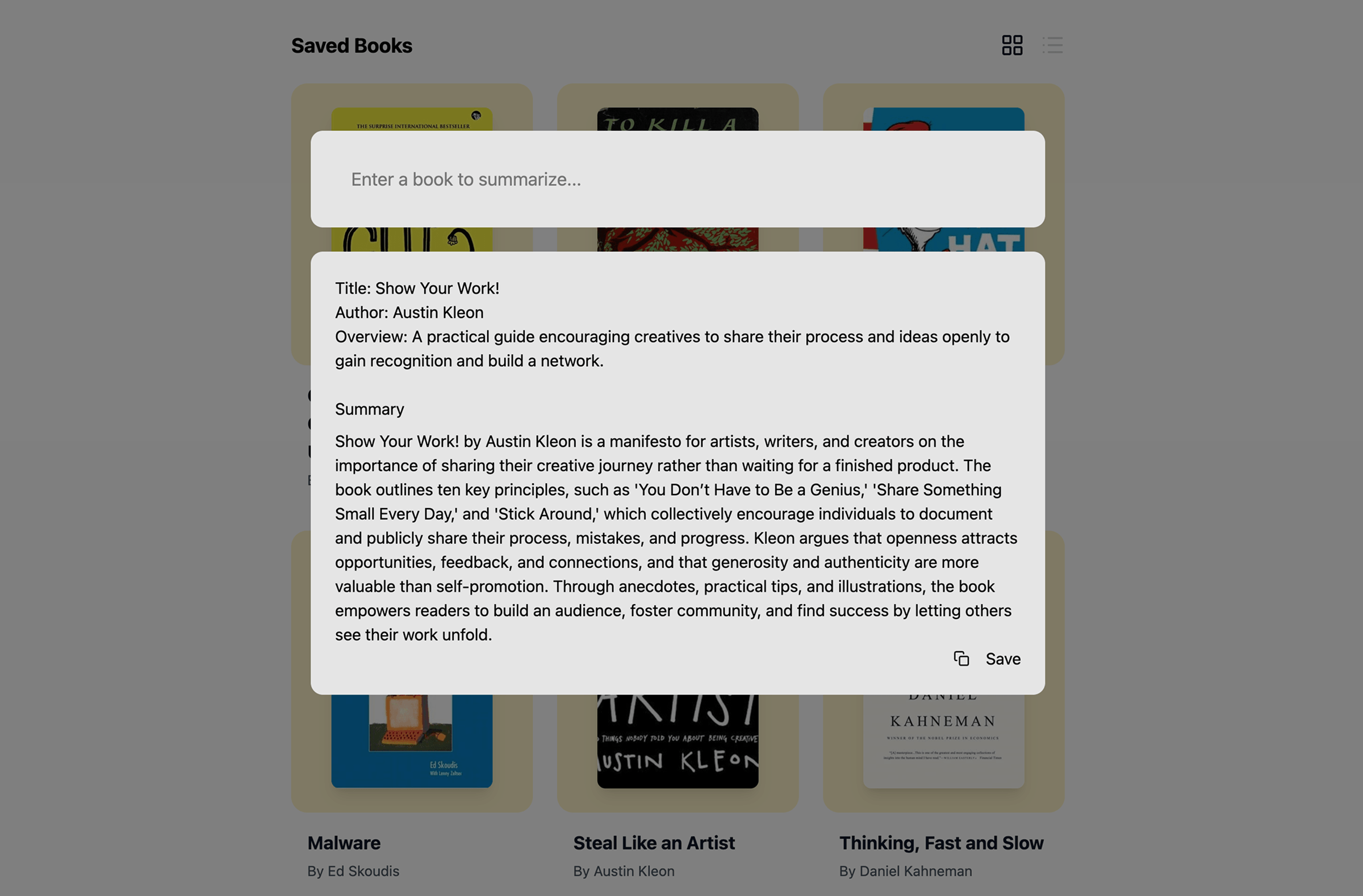
When a user saves a book, it appears as a grid item with its own page. The page contains the same information as the modal, along with the ability to add comments. Commenting has been implemented but not yet styled, which is why it is not shown here.
The whole experience is designed around a simple flow:
- Find a book
- Generate a summary
- Decide whether to save it or skip it
- Keep a personal collection of interesting reads
Challenges
Prompt engineering
One of the interesting challenges was making AI output feel consistent.
Instead of simply displaying generated text, I explored how to return the structured content described above. This was key to the user experience of the project. It took a few attempts, but I am now happy with the output. Below you can see the final code used on the API server.
The experimentation involved:
- Prompt structure
- Formatting requirements
- Handling inconsistent responses
openai
    .createChatCompletion({
      model: "gpt-4.1",
      messages: [
        {
          role: "system",
          content:
            "You are a helpful assistant that summarizes books. Respond ONLY in JSON, no extra text.",
        },
        {
          role: "user",
          content: `
          Summarize the following book into this JSON format:
          {
            "title": "<book title>",
            "author": "<author name>",
            "short_summary": "1-2 lines max summary of the book",
            "summary": "<full summary>",
          }

          prompt text:
          ${text}
        `,
        },
      ],
      max_tokens: 1200,
      temperature: 0.3,
    })
Cover fallback
Another user experience challenge was fetching and handling book covers. These APIs are not very well documented, if at all, and accept different search parameters for looking up covers. This affects the ability to reliably find the correct cover.
To improve the success rate of finding a book cover, I first checked the API that produced better results at the time. If that failed, I fell back to the second API. If neither returned a cover, the app displayed a default placeholder.
const useBookCoverFetch = (bookTitle: string, authorName: string) => {
// ... state setup and useEffect ...

const fetchCover = async () => {
// 1. Try primary API
try {
const response = await fetch(`https://bookcover-api.com?title=${title}`);
if (!response.ok) throw new Error("Primary API failed");

      const data = await response.json();
      if (data.url) return data.url;
    } catch (error) {
      console.warn("Primary failed, trying fallback:", error);
    }

    // 2. Fallback to Open Library
    try {
      const response = await fetch(`https://openlibrary.org/search.json?title=${title}`);
      const data = await response.json();

      if (data.docs[0]?.cover_i) return `https://covers.openlibrary.org/b/id/${data.docs[0].cover_i}-L.jpg`;
      if (data.docs[0]?.isbn?.[0]) return `https://covers.openlibrary.org/b/isbn/${data.docs[0].isbn[0]}-L.jpg`;
    } catch (error) {
      console.error("Fallback also failed:", error);
    }

    return null;

};

// ... trigger fetch and return cover state ...
};
Other experiments
A quick overview of other things I also had the chance to experiment with. Tools and patterns I wanted to use in a real project.
Examples:
- Applying React UI patterns.
- Exploring newer AI API integrations.
- Testing UI feedback patterns.
- Emil's Sonner snackbar library.
Current Status
The project is currently paused while I evaluate the next direction.
Completed:
- Core application flow
- AI summary generation
- Book saving functionality
- Initial UI
Next:
- Replace the current database solution
- Revisit authentication
- Finalise the UI experience
Reflection
The project gave me an end-to-end view of how interface decisions, API reliability and AI output shape the same product experience. The most useful lesson was designing for unreliable external data—from inconsistent model responses to missing book covers—rather than treating each integration as a happy path.